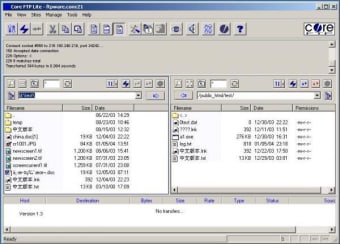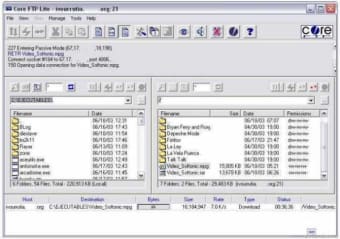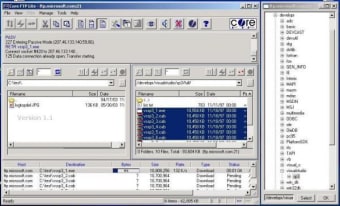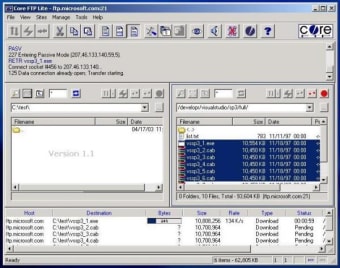
Freeware FTP client with all the functions you'll need

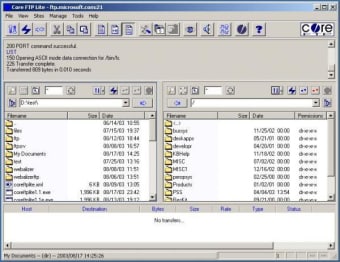
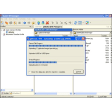
As far as FTP clients go, Core FTP Lite is one of the most comprehensive out there. It allows you to do pretty much anything that you can do with FTP transfers. It features everything from SFTP (SSH), SSL, TLS, IDN, browser integration, site to site transfers to FTP transfer resume, drag and drop support and command line transfers.

Top Recommended Alternative

Where Cute FTP really distinguishes itself is through it's security features. Not many FTP clients support so many different security protocols meaning you can upload and download to FTP servers with peace of mind. This is essential if you're administering a website that holds. The list of features doesn't stop there though and is truly mind boggling. It also supports Auto retry of failed transfers, bandwidth control throttle, remote file searching and .htaccess/.htpasswd editing amongst many many more.

If you're looking for a fully comprehensive free solution to FTP transfers, then you can't do much better than Core FTP Lite. If you're new to FTP transfers however, you'd probably be better off with something a bit simpler.

Changes

Wildcards for upload/download prompt fixed MVS issue with large file sizes in listings fixed Site profile issue in templates with multiple sites, fixed GUI updates/fixes

  • Pros

    • Packed with features
    • Supports several security protocols
  • Cons

    • Not suitable for beginners to FTP
    • Sometimes hangs on connections
 0/5

App specs

  • License

    Free

  • Version

    2.2
  • Latest update

  • Platform

    Windows

  • OS

    Windows XP

  • Language

    English

  • Downloads

    45.9K

    Last month's downloads

    • 17
  • Size

    4.46 MB

  • Developer

Program available in other languages


User reviews about Core FTP LE

3.9

3 reviews

Add review

Main reviews for you

  • Anonymous user

    Excellent easy to use!. Just started using today. Been using filezilla for 3 yrs and all of a sudden it won't connect (503) Core is a snap!

  • Anonymous user

    In my opinion, better than Filezilla.. I use Core FTP almost everyday to maintain my websites. It is extremelly simple to use (even for beginners) thanks to its really clear and logical interface. Absolutely brilliant tool. Pros: double window interfacequick reconnect after timeouts Cons: 64bit supportpresentation could be improved

  • Anonymous user

    Works on Windows 7 Home Premium.. I'm using Windows 7 Home Premium 64bit. To use CoreFTP, you will need to do the following:1) Go to C Drive -> Program Files (x86) -> CoreFTP2) Look for coreftp application3) Right-Click -> Properties -> Compatibility4) Check "Run this program in compatibility mode for: Windows XP (Service Pack 3)5) Restart computer

More

You may also like

Alternatives to Core FTP LE

Explore Apps

Latest articles

Laws concerning the use of this software vary from country to country. We do not encourage or condone the use of this program if it is in violation of these laws.
Softonic

Is Core FTP LE safe?

99/100

Score result: Clean

This file passed a comprehensive security scan using VirusTotal technology. It is safe to download.

  • Virus free
  • Spyware free
  • Malware free
  • Verified by Security Partners

    VirusTotal logo

Scan Info

Last scan
Wednesday, December 27, 2023
Scan provider
VirusTotal · Full report

File Integrity

File
coreftplite.exe
SHA256
1b7bd71d24cf1d81011f7efea9b0295fd5f6dfa1c632369da1fe286e9f0d0bec
SHA1
88c9aeae53433e7d39be1edc07e0ff176f23e68b

Softonic security commitment

Core FTP LE has been thoroughly scanned by our advanced security systems and verified by industry-leading partners. This file comes from the official developer and has passed all our security checks, showing no signs of viruses, malware, or spyware. For more information, visit our Security and Trust Center